Semi-recently I changed headphones from the classic Sennheiser HD600 that I had been using for around a decade to Sony’s new WH-1000XM6. This was done out of necessity because, and I kid you not, two neighbours on both sides got a dog at the same time, and they both bark and howl ALL DAY LONG. When one of them starts barking, the other one starts going too, and its not rare for them to bark quite literally for 6-9 hours a day –often at night too. Open-backed headphones would be the death of me in this situation, and I was really at the end of my rope before I got the Active Noise Cancelling (ANC) pair.
So now that I was using a wireless-capable pair of headphones, I figured it would be pretty sweet to “cut the cord” and be able to move around freely. Sort of unrelated, but I had just setup a desk with my new oscilloscope and soldering tools, and the ability to move between this workstation and my laptop desk is a big motivation for this BLE audio experiment. I often have datasheets, other documentation, or just music and chats open on the laptop, so the freedom of movement would be a very welcome boost in efficiency and quality of life.
The XM6 specifications say it has Bluetooth 5.3, and supports the following codecs:
- SBC (Low Complexity Subband Codec)
- The default codec supported by all Bluetooth devices. Low fidelity audio by today’s standards.
- AAC (Advanced Audio Coding)
- A prolific audio codec that provides OK quality, and is supported by basically everything at this point. There exist a few encoder variants with varying efficiencies and licenses.
- LDAC
- Sony’s proprietary codec for wireless high quality audio.
- LC3 (Low Complexity Communication Codec)
- Successor to SBC with higher audio quality and low latency. Is supposed to be the new default for Bluetooth Low Energy audio. Royalty free, and presumably slightly worse than OPUS in terms of fidelity at comparable bitrates.
I’m not a big fan of proprietary tools –including codecs. This is doubly true for those that are patent or license encumbered as they inhibit adoption. Essentially always resulting in less comprehensive validation, more fragmentation within the ecosystem, and worse application and hardware support for the end user. Still, I started out my wireless test with Sony’s proprietary LDAC as it was the default sink option in pavucontrol.
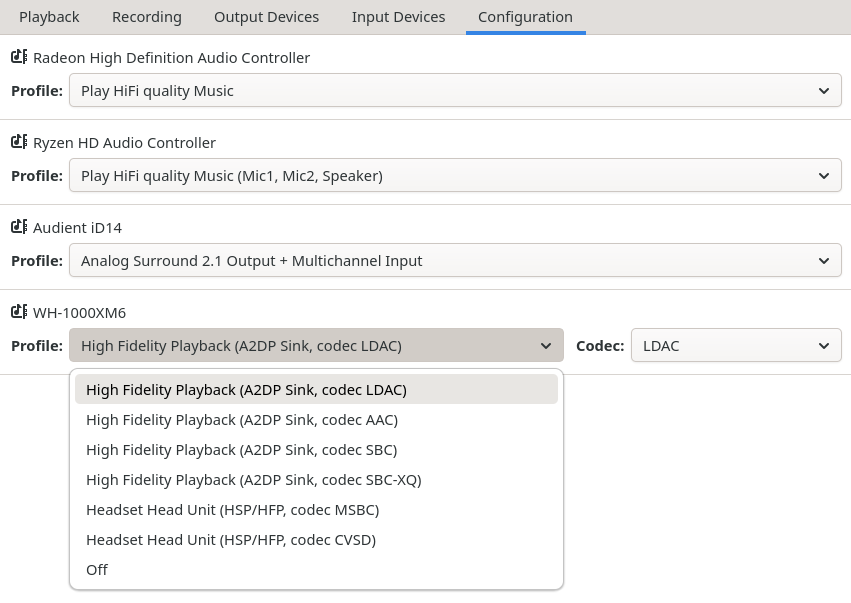
The quality via LDAC is very good. It’s around 90% of what I can get through wired mode using my AMP/DAC (Audient iD14 MK II). The sound is just a tad less full without the external amplification. I did a very quick and dirty online latency test which indicated an average latency of ~200ms –Large enough to notice even when watching videos, which is a bummer. The magnitude is corroborated by the connection output.
 1[bluetoothctl]> connect 58:18:62:39:93:8B
 2Attempting to connect to 58:18:62:39:93:8B
 3[CHG] Device 58:18:62:39:93:8B Connected: yes
 4[CHG] BREDR 58:18:62:39:93:8B Connected: yes
 5[NEW] Endpoint /org/bluez/hci0/dev_58_18_62_39_93_8B/sep1
 6[NEW] Endpoint /org/bluez/hci0/dev_58_18_62_39_93_8B/sep2
 7[NEW] Endpoint /org/bluez/hci0/dev_58_18_62_39_93_8B/sep3
 8[NEW] Transport /org/bluez/hci0/dev_58_18_62_39_93_8B/sep3/fd0
 9# "Delay: 0x07d0 (2000)"
10[CHG] Transport /org/bluez/hci0/dev_58_18_62_39_93_8B/sep3/fd0 Delay: 0x07d0 (2000) Connection successful
11[CHG] Device 58:18:62:39:93:8B ServicesResolved: yes
12[CHG] Transport /org/bluez/hci0/dev_58_18_62_39_93_8B/sep3/fd0 State: active
Next I tried AAC, which was predictably OK. The sound was further flattened compared to the previous codec (LDAC), and the latency was unimproved.
Lastly I tried SBC and SBC-XQ, which both sounded horrendous. The latency was improved, but no one in their right mind would use these nowadays due to their awful sound quality.
All of this then begs the question, where the hell is the LC3 option? I was not presented with any options in pavucontrol to select from Basic Audio Profile (BAP) sink/source options, which is what the new low energy audio codec (LC3) uses. As it is, only Advanced Audio Distribution Profile (A2DP), Handset Profile (HSP), or Hands Free Profile (HFP) and their supported “legacy” codecs were available.
System and Package requirements
So after very brief google-fu, I found a useful document detailing the current status on Pipewire’s freedesktop regarding BLE Audio and LC3 support on Linux. Also this this link.
Essentially (as of writing):
- Linux Kernel
- version >= 6.12
- compiled with: Bluetooth subsystem support for BLE features
- Pipewire
- version >= 1.5.85
- compiled with: bluetooth integration, liblc3 links
- BlueZ
- version >= 5.86
- compiled with: experimental features
- Device Reqs
- Host controller must support appropriate Bluetooth standard revision.
- Audio device must support appropriate Bluetooth standard revision.
- AND BOTH MUST HAVE GOOD DRIVER/FIRMWARE SUPPORT FOR THE DESIRED FEATURE!!! This part is NOT a given…
So there were a few manual adjustments I had to get done to enable the required BLE sockets and support for the “new” liblc3 codec. Below are the use flags I enabled to get proper library and package support:
1# Not strictly needed for audio playback.
2media-video/ffmpeg liblc3
3
4# Self-evident
5media-video/pipewire bluetooth liblc3
6
7# BLE Isochronous socket is still an experimental feature!
8net-wireless/bluez experimental
As the socket is still experimental, I also had to specifically enable it in
the /etc/bluetooth/main.conf configuration file, and restart the system bluetooth
daemon to apply the config change.
 1# Enables D-Bus experimental interfaces
 2# Possible values: true or false
 3Experimental = true
 4
 5# Enables D-Bus testing interfaces
 6# Possible values: true or false
 7#Testing = false
 8
 9# Enables kernel experimental features, alternatively a list of UUIDs
10# can be given.
11# Possible values: true,false,<UUID List>
12# Possible UUIDS:
13# d4992530-b9ec-469f-ab01-6c481c47da1c (BlueZ Experimental Debug)
14# 671b10b5-42c0-4696-9227-eb28d1b049d6 (BlueZ Experimental Simultaneous Central and Peripheral)
15# 15c0a148-c273-11ea-b3de-0242ac130004 (BlueZ Experimental LL privacy)
16# 330859bc-7506-492d-9370-9a6f0614037f (BlueZ Experimental Bluetooth Quality Report)
17# a6695ace-ee7f-4fb9-881a-5fac66c629af (BlueZ Experimental Offload Codecs)
18# 6fbaf188-05e0-496a-9885-d6ddfdb4e03e (BlueZ Experimental ISO socket)
19# Defaults to false.
20KernelExperimental = 6fbaf188-05e0-496a-9885-d6ddfdb4e03e
Lastly I made sure that kernel was compiled with BLE features enabled. Checking can be done
via zcat /proc/config.gz, and it should have Bluetooth and the LE feature set enabled:
1CONFIG_BT=m
2CONFIG_BT_LE=y
In the event they are not, just modify your kernel to add them:
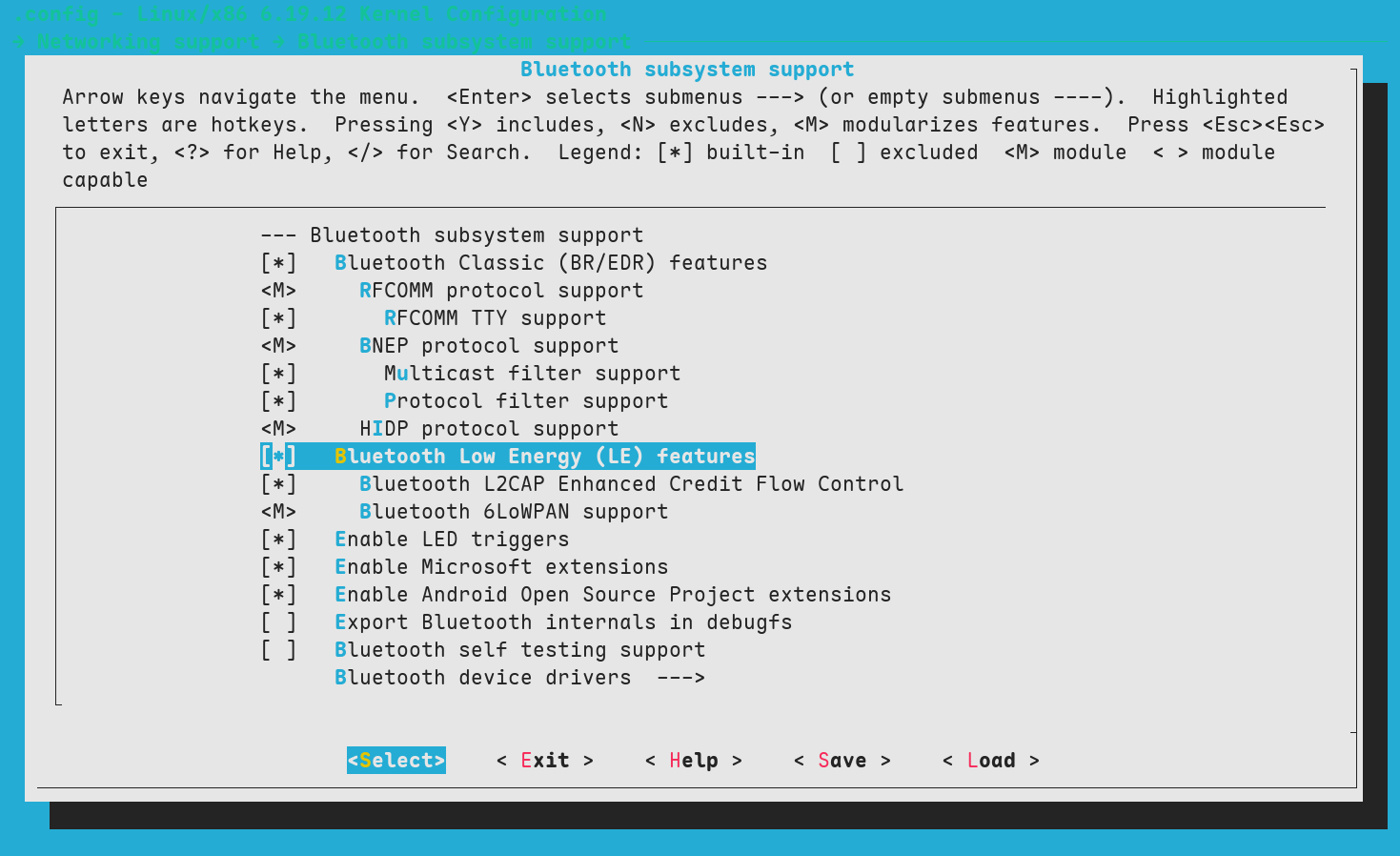
Configurations being done, it was time to try and interface with the headphones using bluetoothctl.
Bluetoothctl and LE usage
They sure weren’t lying when they said the current LE functionality is “experimental” and “flaky”. Getting any connection using LE was difficult at the beginning, and maintaining a paired and connected link was even more frustrating. Random disconnects and re-connects were frequent, reducing usability to abysmal levels.
After some serious futzing around, and resetting all sorts of settings to defaults more times than I care to admit, I was able to find a combination of options that allowed me to semi-reliably connect the XM6 to my laptop.
I found that powering the bluetooth controller off and on helped with reproducibility (power off|on) when testing.
Use show to see your controller (E.g. laptop) details, and info to see peer (E.g. headphone) details after connection.
It’s important to note that you must use the scan le command, instead of just scan when looking for BLE devices during
discovery.
There’s probably going to be an absurd amount of devices (yours and other peoples’), so keep an eye out for your device name, or find out any consistent parts of the MAC that are associated with your device manufacturer to help with grepping if the name isn’t immediately evident.
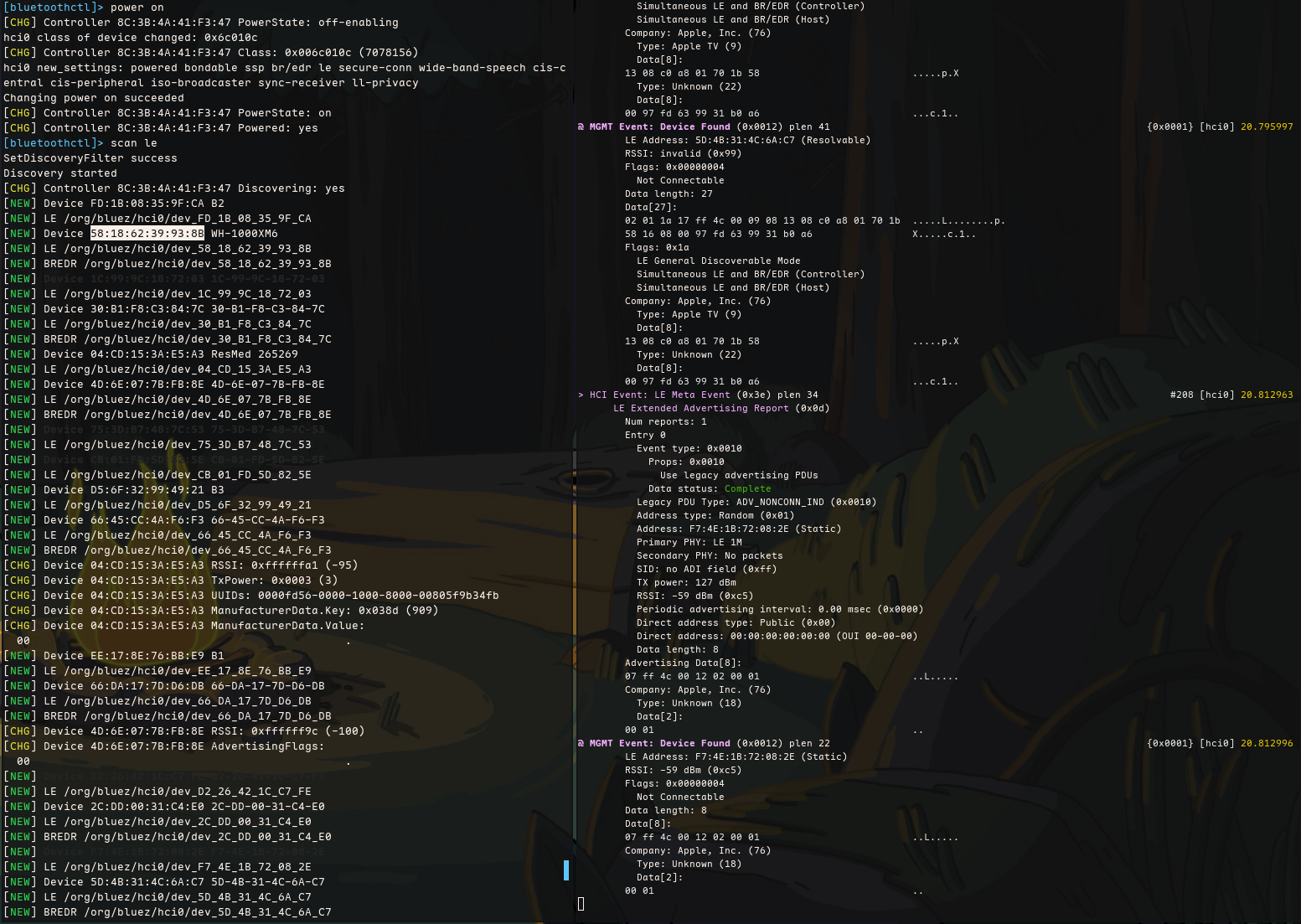
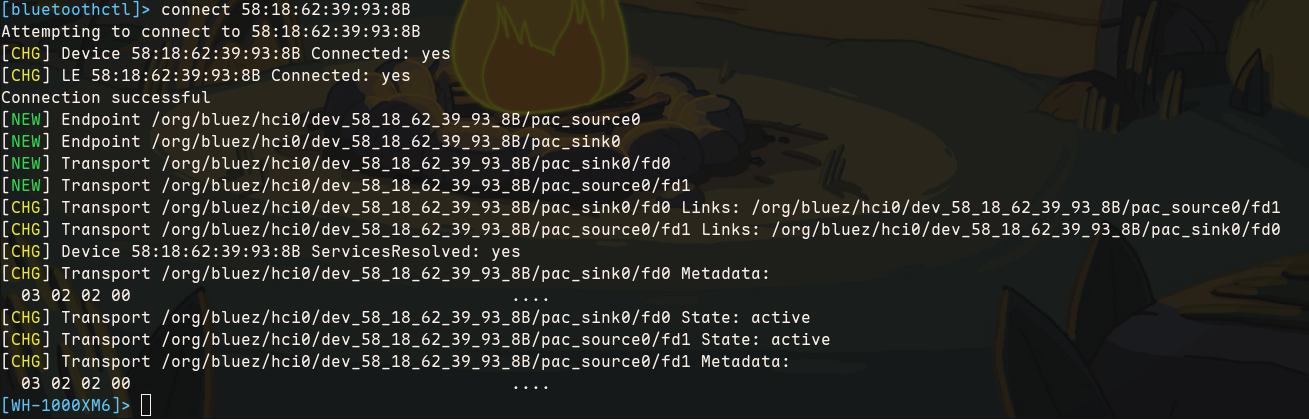
You may also wish to modify the bluetooth configuration file to enforce encryption and make sure
its properly enabled from output. Monitoring the happenings using btmon can help debug behaviour.
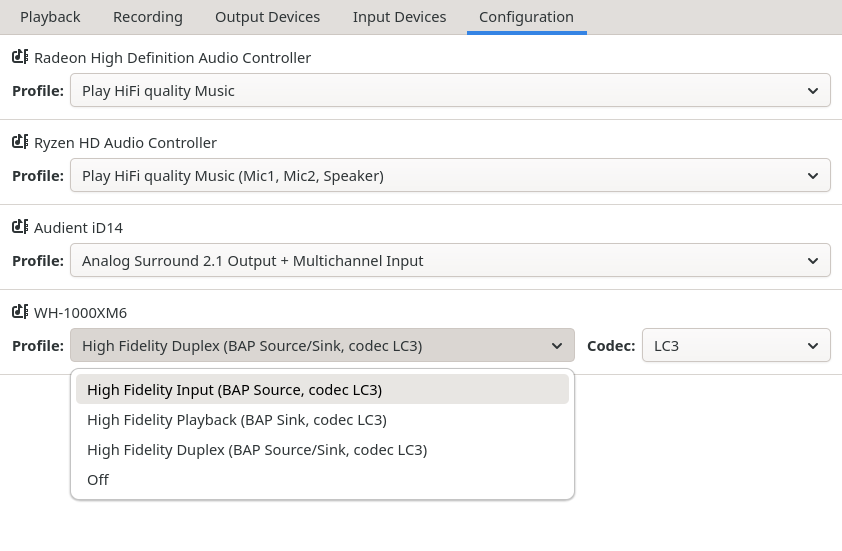
If all went “well-enough” there should now be a handful of negotiated BAP profile options in your audio control panel of choice, like below:
Did it work?
No.
Despite the configurations being set, connection being established using LE and the correct source/sink being
advertised by peer and accepted by the controller, and options being visible in Pipewire & Wireplumber (pw-dump, wpctl status), there just isn’t any sound
coming out the headphones.
Something is not functioning as it should in the actual BLE data transmission to the headphones, and I suspect it has something to do with the bluetooth controller or its drivers.
1# lspci
203:00.0 Network controller: Qualcomm Technologies, Inc QCNFA765 Wireless Network Adapter (rev 01)
3
4# dmesg
5[   17.800329] Bluetooth: hci0: QCA: patch rome 0x130201 build 0x9478, firmware rome 0x130201 build 0x38e6
This is a disappointing conclusion, as the latency on these headphones in wireless mode is a bit unsatisfactory over BR/EDR. I was hoping to gain some reduction in latency by using LE and LC3, with a small cost to fidelity –The BAP duplex profile for sound and microphone would’ve also been very welcome.
Somewhat reassuringly(?), the state of all Bluetooth headphones appear to be, frankly, shit. So it’s not like I’m alone in facing this issue. Apparently most Bluetooth headphones have awful latencies, and issues exists even under Windows and OSX. Meaning that Linux isn’t the only one struggling to support a four year old standard that is going to be obsolete by the time it becomes usable…
What about a dongle?
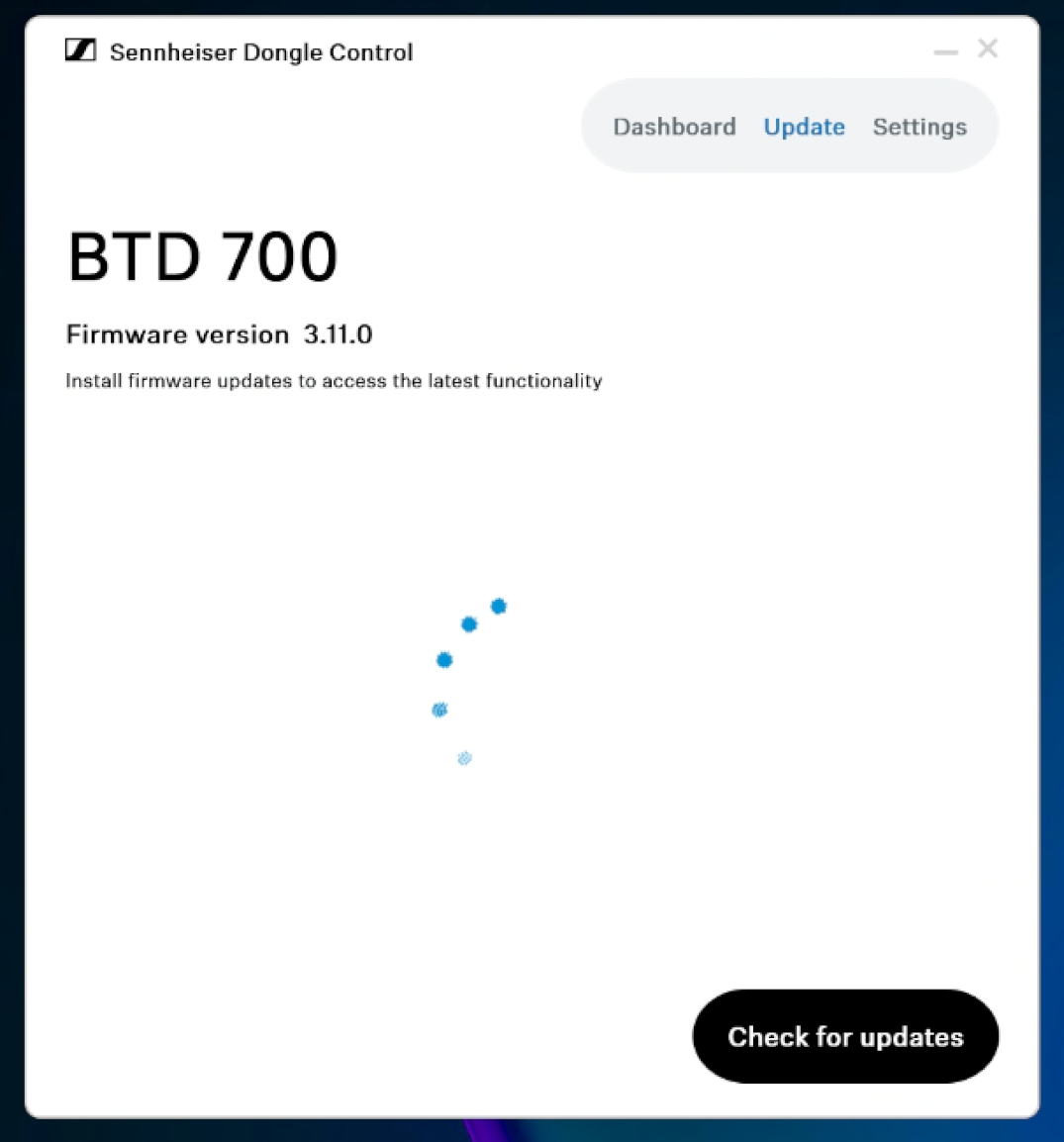
As a last ditch effort, I bought a bluetooth audio dongle (Sennheiser BTD 700), as it claims support for LC3 over LE, but I was unable to pair the transceiver with my XM6 over LE. I would only get some very distinctly ass-sounding SBC from them despite trying everything.
Sennheiser’s application is also only available on Windows and OSX, which is just lovely. I guess it’s fitting that the application is so broken. The “Update” tab would only return a broken jumble of html code instead of a properly rendered response, and the “Dashboard” view would always crash when attempting to press one of the codec options. Straight back to returns…
Log dumps
I’ve added some logs to this note just in case I want to revisit this issue at a later date. The logs haven’t been cleaned for relevant details, and contain all sorts of nearby detail data as well mixed in.