How does one transfer a file quickly and effortlessly from a mobile device to the computer? Quite often I find myself needing a photo or document from my phone on my computer, for example when adding an image to a post on this website.
I remember when I was a kid we’d share ringtones on our Nokia phones via Bluetooth –the experience was effortless and quick. So why have I been using all sorts of tricks to get a file from my phone onto my laptop all this time, if Bluetooth could clearly do it that easily all those years ago? The answer is rather simple, the implementation is non-uniform and often not really advertised to the user on the desktop. So I defaulted to emailing myself a file, or uploading a photo to imgur, or catbox, just to get it from one local device to another –dumb.
Prerequisite
On Linux you want to install obex, which will include the obex server and client tools.
On Gentoo obex is built with BlueZ (net-wireless/bluez) by enabling the obex use flag.
Meanwhile on other distributions, like Debian or Fedora, it may be its own package that has
to be installed separately.
To receive files you must have obexd running (obex.service on systemd), do note that this
is a user-level service, so invoke it by using systemctl --user status obex.service.
You also need to use bluetoothctl to pair and trust your mobile device, before its offerings
will be accepted by obex on your computer.
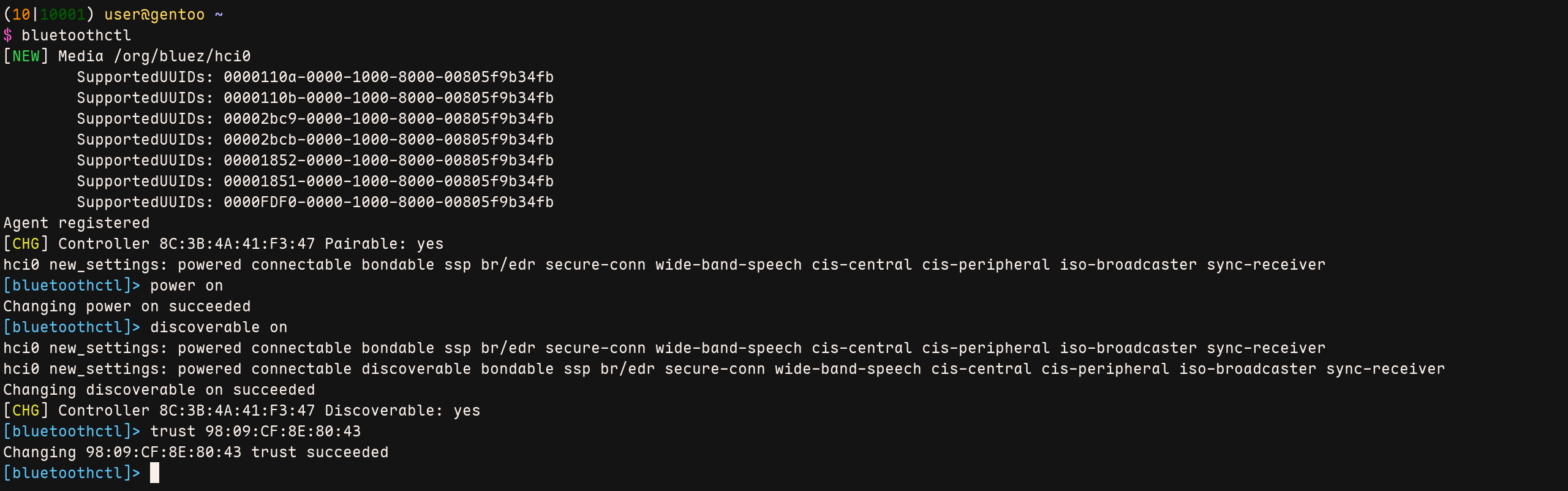
Once the mobile device is trusted on your receiving side, you can just hit the share-button on your mobile and select the bluetooth icon. It should show the paired desktop as a target for the put operation.
Using Obex for RX
I saved the specific receive command as a small bash script so I can always toggle
receiving on by invoking bt-rx via CLI. This way I don’t need to have the daemon
running continuously in the background.
Note: the flag --root="" indicates where any received file(s) are written to.
1#!/bin/bash
2BIN_OBEX="/usr/libexec/bluetooth/obexd"
3
4if [[ -x $BIN_OBEX ]]; then
5	$BIN_OBEX --debug=DEBUG --nodetach --auto-accept --root="$HOME"
6else
7	echo "BT-RX: Binary not present ($BIN_OBEX)!"
8fi
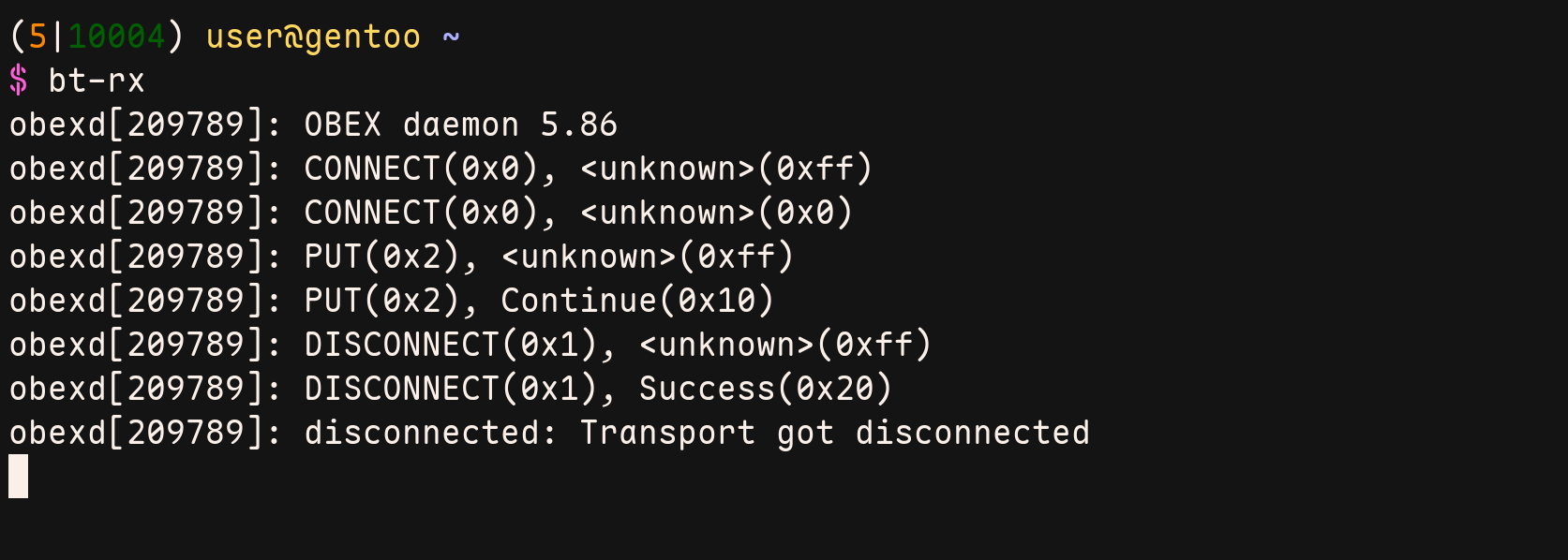
As can be seen above, the CONNECT and PUT operations were accepted on the desktop. Finally a DISCONNECT was triggered with Success. And I can verify that the file was indeed written to my specified root path! Yay, no more hacks for trivial local file transfers…