Background Information
My primary router (Netgate’s 4200) has always ran a little too hot for my taste. It’s designed to operate around the 60-70C range with its passive heatsink serving as cooling, but opening the router it’s apparent the board was at some point designed around active cooling. Maybe the CPU was downgraded in the design process, or it was deemed to be an unneccessary additional cost; regardless, I chose to take advantage of this fact and add in two small 40mm fans to reduce the operating temperature.
Approach and Options
From the front, the left side of the PCB has a 20mm deep cutout that fits two 40mm fans perfectly side-by-side in a way that directs the air through the normally passive heatsink. Mounting the fans here allows the air to flow both above and below the PCB, while cooling the primary heatsink as well as the PCI-E add-in cards beyond it.
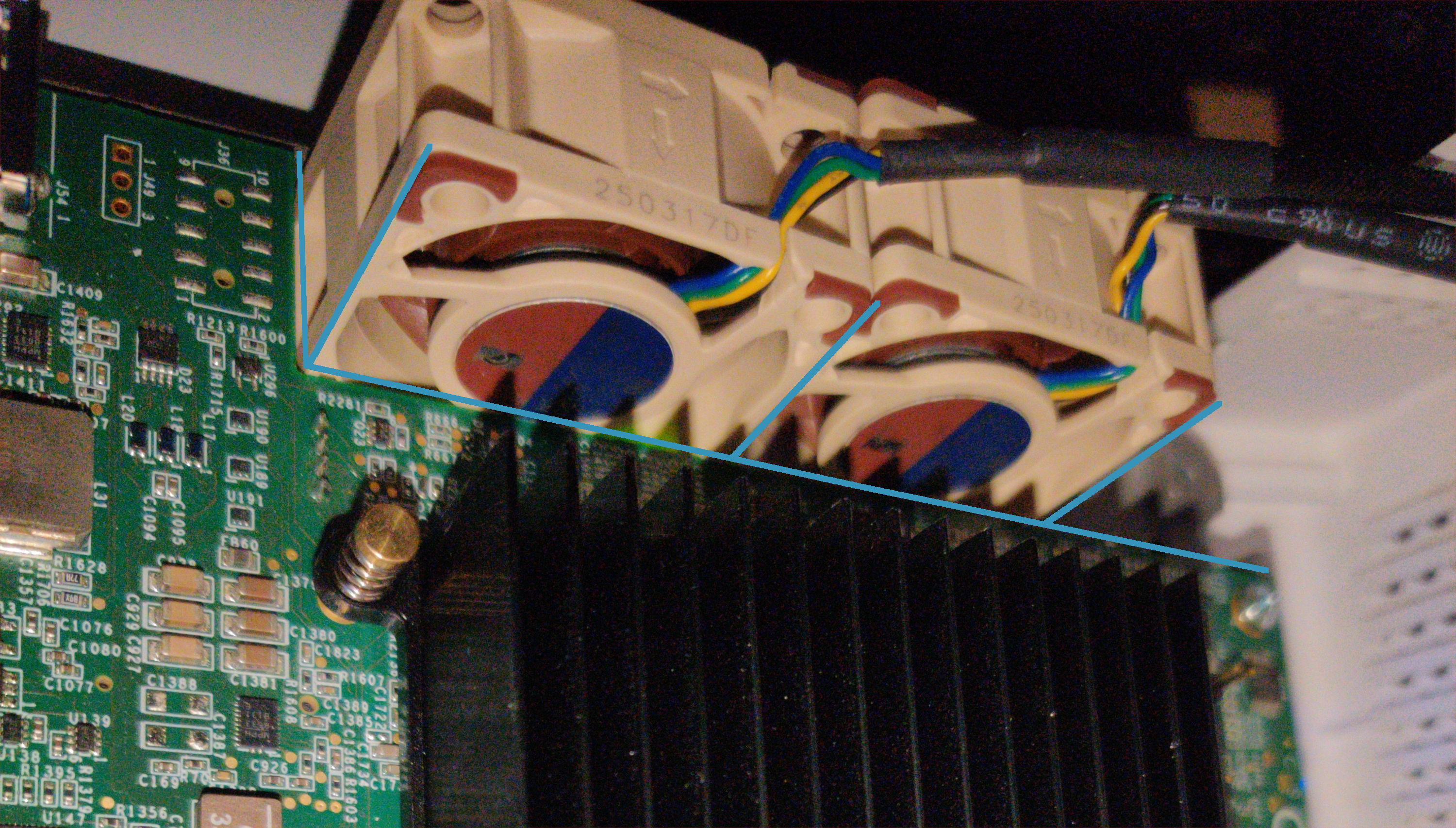
Unfortunately the board itself has zero fan-connectors. This left me with two options, either power tap from a sufficiently tolerant pin on the board or simply use a USB-powered 5V variant of the Noctua fan. The benefit of using an internal connection is that it allows the added fan setup to remain within the original case, while using a 5V fan is just much simpler because it can be plugged into the USB port (which the device does have one of).
Installation
I chose to use the USB-port for power because I didn’t feel like mucking around the expensive piece of hardware more than I needed to, and because the case was already designed to be perforated with small holes which were easy enough to widen slightly by hand to fit the fan-cables through.
I didn’t actually get 5V fans, but instead opted for the regular 12V fans and a USB-adapter that steps up the voltage from the USB-port. I guess I just felt like the 12V fans were more versatile.
As I was already going through the trouble of installing fans into the device, I decided to fill the available space and put two of them in. This was definitely overkill since even one of these is mighty powerful relative to its size, but I figured what’s the harm. At least if something happens to one there’ll be another to pick up the slack.
Securing the fans to the chassis was done using 3M’s velcrow tape. One part on the chassis, and its counterpart on the fan. The added thickness contributed to just enough extra height that the fans press lightly against the top cover, making the setup feel very secure even when jostled around vigorously.
Results
Results were great. I observed the typical load temperatures drop from 65C all the way down to 28-36C depending on CPU load, which is hard to argue with.

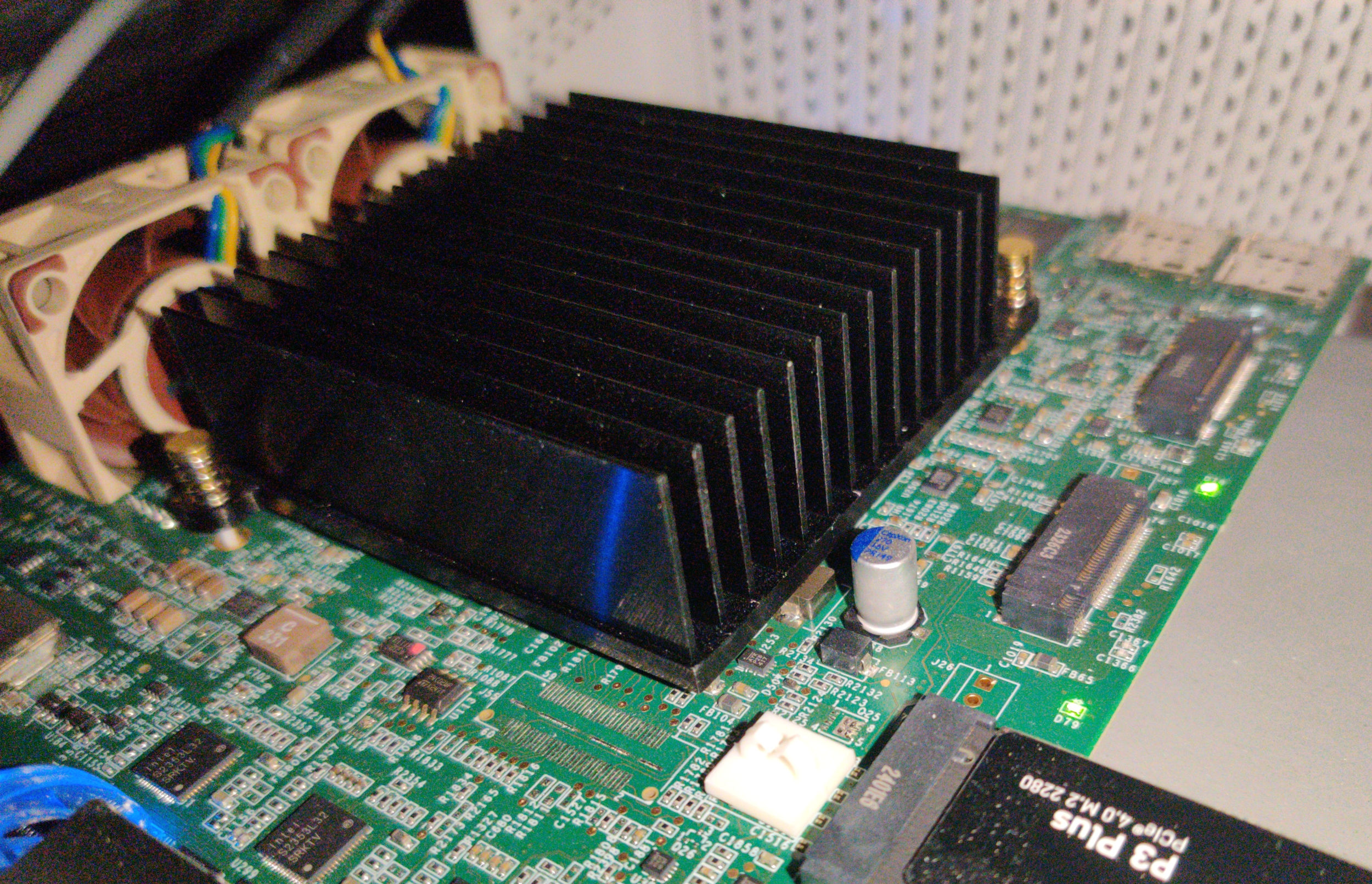
As a bonus, if you use any of the additional PCI-E slots for additional devices (e.g SSD, WiFi, Modem) they’ll be benefitting from the increased airflow like so:
I’m very happy with the performance, and a little sad that something so simple isn’t a more officially supported addition to the NG4200. This is a cheap way to drastically drop the temperatures and most probably increases the device lifespan in a statistically significant way, certainly if ambient temperatures are higher in your region. At least include a fan connector…
And I sleep better knowing my machines aren’t pinned to 70C or above!